> ## Documentation Index
> Fetch the complete documentation index at: https://docs.inferencelab.co/llms.txt
> Use this file to discover all available pages before exploring further.
# Scheduled tasks
> Run a prompt on a cron — hourly, daily, weekly, or anything in between.
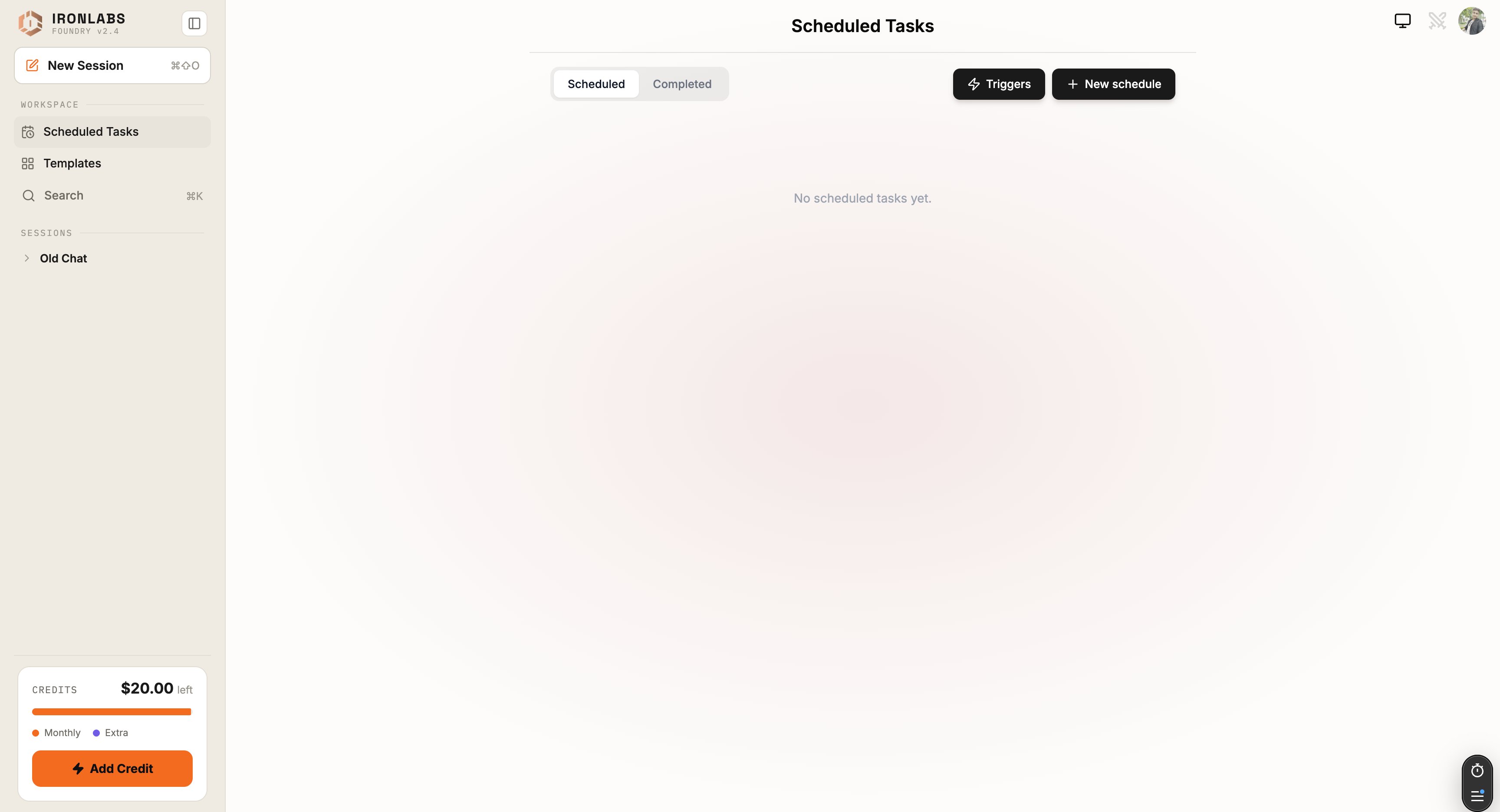
A **scheduled task** is a prompt Foundry runs on a cron. Set it up once, the answers show up in your chat history when they're due.
 ## Create a task
Sidebar → **Scheduled Tasks** → **New task**. Fill in:
| Field | What it does |
| - | - |
| **Name** | A short label. Shows in the list and as the chat title. |
| **Description** | Optional. What this task is for — for future-you. |
| **Prompt** | The instruction the assistant gets each run. |
| **System prompt** *(optional)* | Always-applied context (persona, constraints, formatting). |
| **Connectors** | Pick which connected services this task can use. Foundry also auto-suggests connectors based on prompt keywords. |
| **Schedule** | Hourly / Daily / Weekly / Custom (5-field cron). |
| **Timezone** | Defaults to your account timezone. |
| **Max runs** | Lifetime cap. Default: **10**. |
Hit **Save** and the task is live.
## Schedule presets
| Preset | Cron equivalent | Typical use |
| - | - | - |
| **Hourly** | ` * * * *` | Light monitoring. |
| **Daily** | ` * * *` | Daily briefs, summaries. |
| **Weekly** | ` * * ` | Weekly digests. |
| **Custom** | Any 5-field cron | Anything else. |
5-field cron is `minute hour day-of-month month day-of-week`.
## What happens on each run
1. Cron fires. Foundry opens a fresh chat under the task's name.
2. The system prompt + prompt are sent to the assistant.
3. The assistant runs — using the connectors you selected — and writes the reply.
4. A [browser notification](/foundry/chat/notifications) fires (if enabled). The chat appears in **Recent** with an unread badge.
You can review every run from the task detail page — every fired run is preserved.
## Editing and pausing
* Open the task → **Edit** to change prompt, schedule, or connectors.
* Toggle **Active** off to pause without deleting.
* **Archive** to hide; **Delete** to remove permanently.
## Tips
* **Constrain the output format** in your prompt — *"reply in 3 bullets, max 30 words each"*. Daily briefs that respect your time get read; ones that ramble don't.
* **Use system prompt for persona + constraints**, prompt for the task itself. Keeps the task definition tidy.
* **Start with a tight `max runs` cap** while you iterate. Bump it once the task is solid.
## Limits
* Default lifetime cap is **10 runs** — change it explicitly if you want more.
* Cron resolves at minute granularity.
## Related
Scheduled vs event-based.
Build a daily brief.
This documentation is built and hosted on [Mintlify](https://mintlify.com), a developer documentation platform.
## Create a task
Sidebar → **Scheduled Tasks** → **New task**. Fill in:
| Field | What it does |
| - | - |
| **Name** | A short label. Shows in the list and as the chat title. |
| **Description** | Optional. What this task is for — for future-you. |
| **Prompt** | The instruction the assistant gets each run. |
| **System prompt** *(optional)* | Always-applied context (persona, constraints, formatting). |
| **Connectors** | Pick which connected services this task can use. Foundry also auto-suggests connectors based on prompt keywords. |
| **Schedule** | Hourly / Daily / Weekly / Custom (5-field cron). |
| **Timezone** | Defaults to your account timezone. |
| **Max runs** | Lifetime cap. Default: **10**. |
Hit **Save** and the task is live.
## Schedule presets
| Preset | Cron equivalent | Typical use |
| - | - | - |
| **Hourly** | ` * * * *` | Light monitoring. |
| **Daily** | ` * * *` | Daily briefs, summaries. |
| **Weekly** | ` * * ` | Weekly digests. |
| **Custom** | Any 5-field cron | Anything else. |
5-field cron is `minute hour day-of-month month day-of-week`.
## What happens on each run
1. Cron fires. Foundry opens a fresh chat under the task's name.
2. The system prompt + prompt are sent to the assistant.
3. The assistant runs — using the connectors you selected — and writes the reply.
4. A [browser notification](/foundry/chat/notifications) fires (if enabled). The chat appears in **Recent** with an unread badge.
You can review every run from the task detail page — every fired run is preserved.
## Editing and pausing
* Open the task → **Edit** to change prompt, schedule, or connectors.
* Toggle **Active** off to pause without deleting.
* **Archive** to hide; **Delete** to remove permanently.
## Tips
* **Constrain the output format** in your prompt — *"reply in 3 bullets, max 30 words each"*. Daily briefs that respect your time get read; ones that ramble don't.
* **Use system prompt for persona + constraints**, prompt for the task itself. Keeps the task definition tidy.
* **Start with a tight `max runs` cap** while you iterate. Bump it once the task is solid.
## Limits
* Default lifetime cap is **10 runs** — change it explicitly if you want more.
* Cron resolves at minute granularity.
## Related
Scheduled vs event-based.
Build a daily brief.
This documentation is built and hosted on [Mintlify](https://mintlify.com), a developer documentation platform.